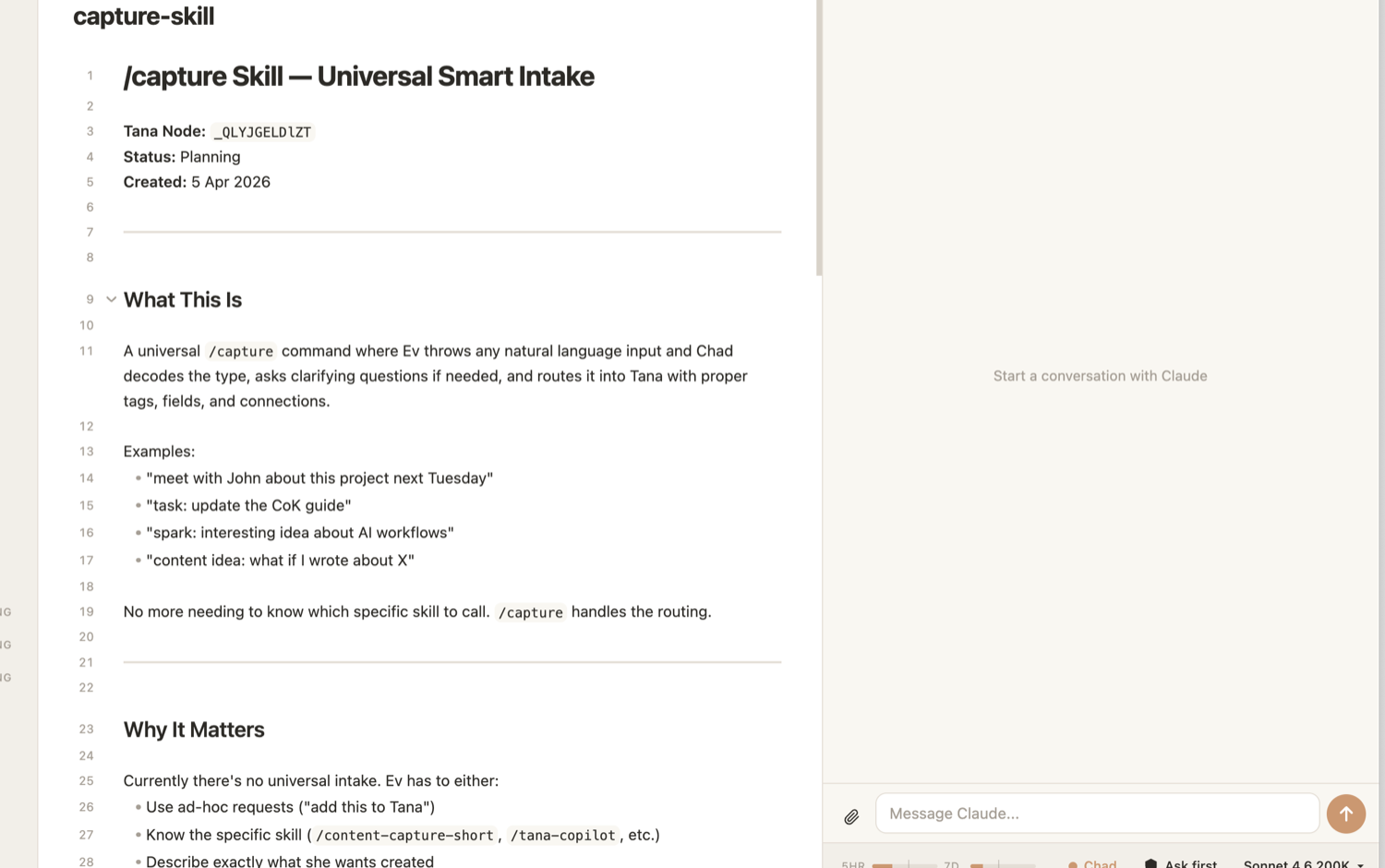
Hyo is an Obsidian plugin that brings a full agent into your second brain, so you and your agent work side by side in the place your documents already live.
Free and open source. Installs inside Obsidian in a couple of minutes.
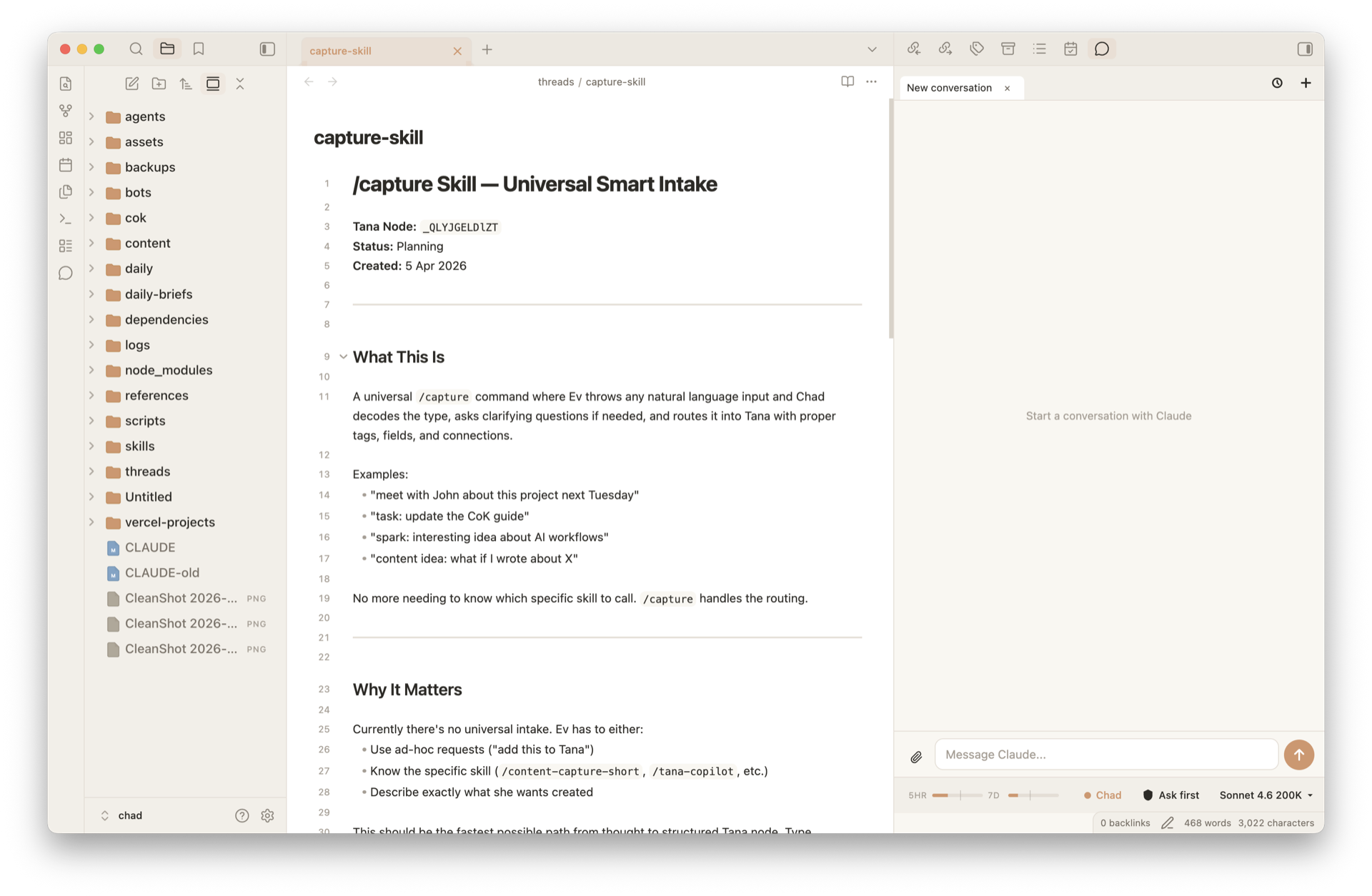
Obsidian is where thousands of people already do their knowledge work. Hyo is a plugin that lives inside it, so your agent works right alongside the notes and documents you already keep there. Nothing new to learn, nothing to move.
The problem
Your agent can plan your week and run the busywork of your business. Hyo gives it a proper place to do that work, right inside Obsidian, instead of a chat window bolted on the side.
Hyo is built for the people doing the actual knowledge work of a business. Your work stays front and centre, with your agent right beside you.
Chat apps sit off to the side, cut off from your actual work. In Hyo your agent lives inside your workspace, where it can see your files and act on them for you.
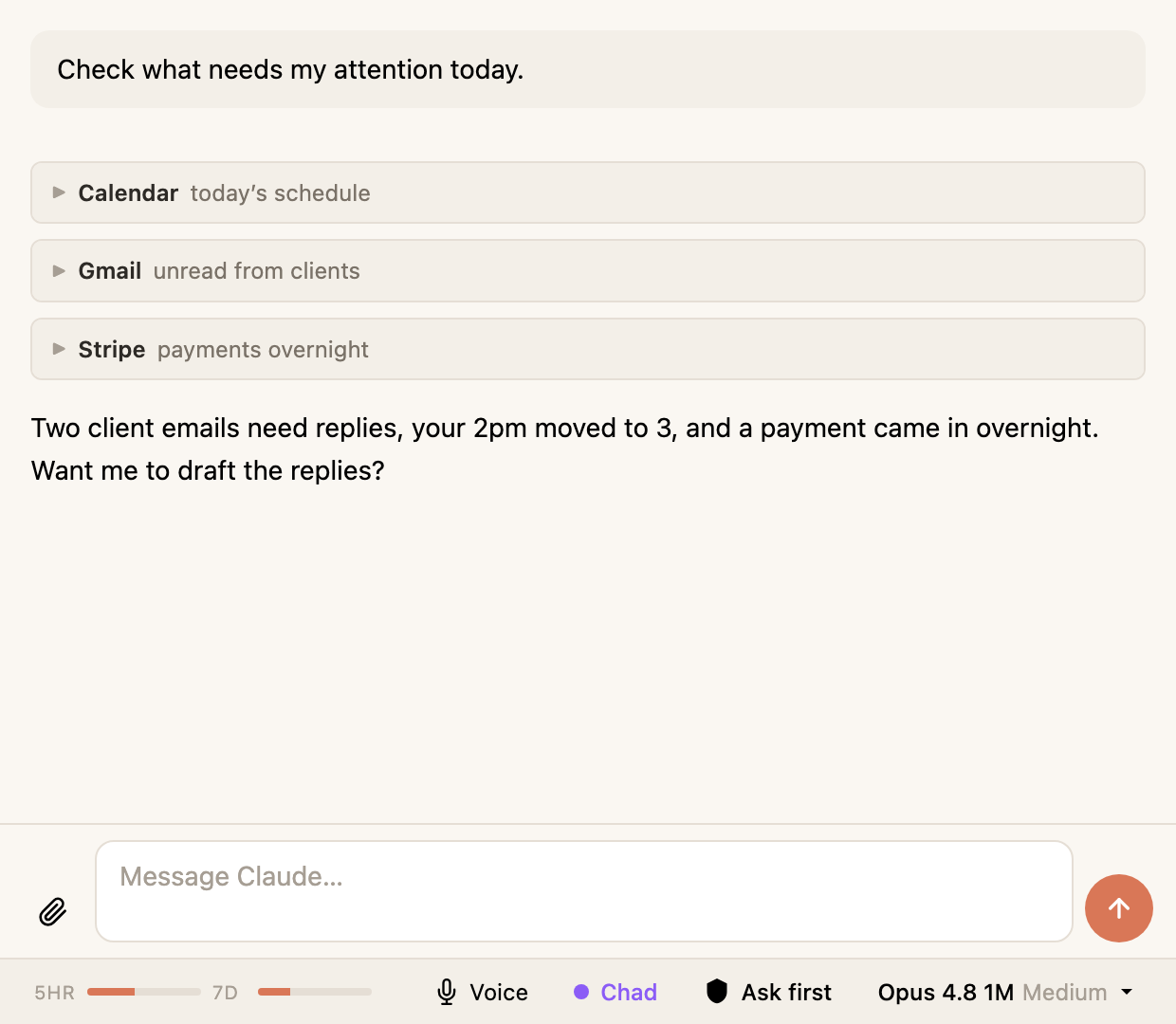
Connect your existing tools through MCP, so your agent can actually use them, not just talk about them. Whatever is in your stack, it can reach in and get things done from one conversation.
How it works
Your second brain and your agent, open at the same time inside Obsidian. No switching apps, no losing your place. You watch your agent work while you keep going.
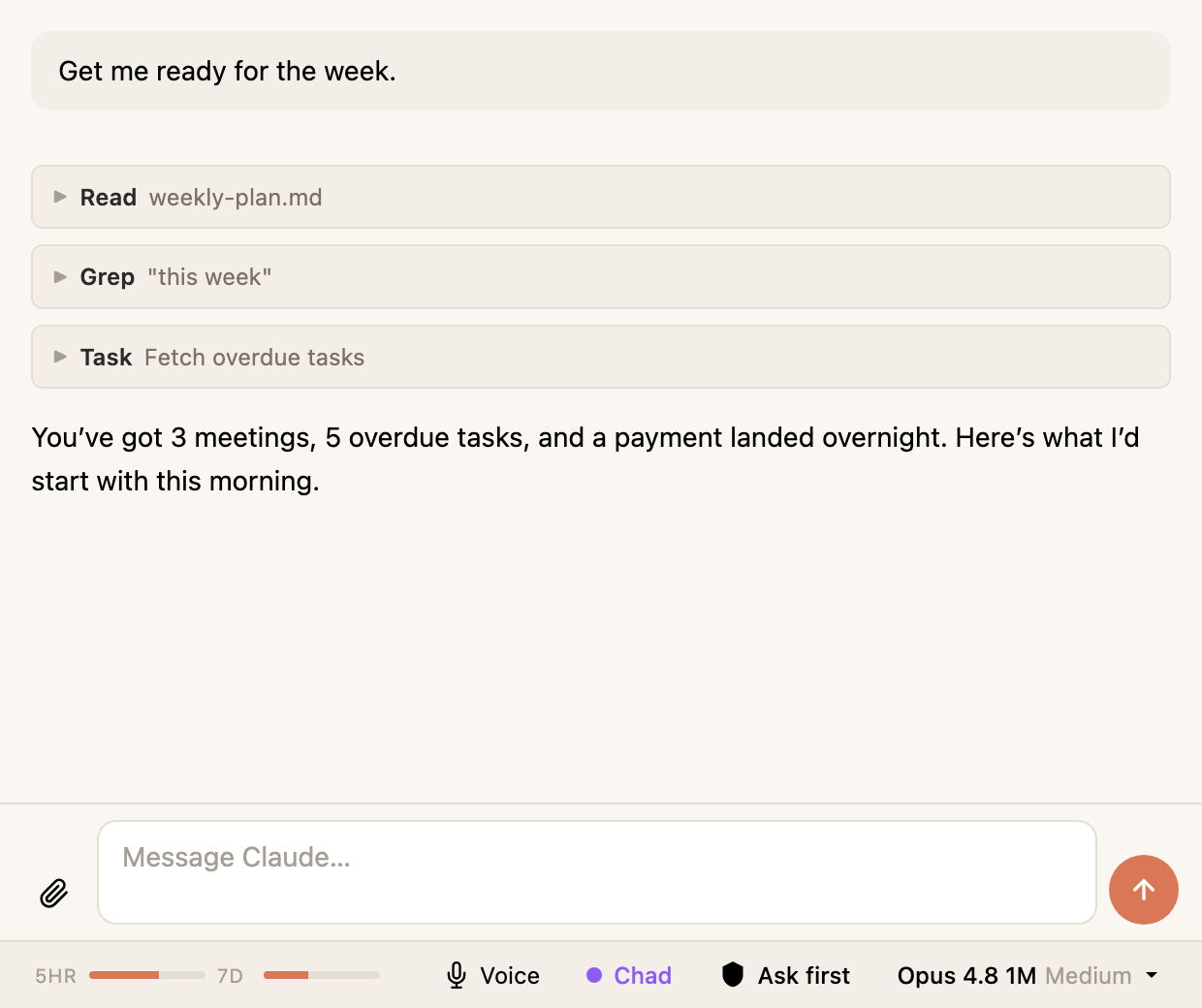
Everything Claude Code can do, Hyo can do. It works through real tasks in your vault and across your tools, in real time, where you can watch every step as it happens.
Bring your own stack via MCP. Your agent can reach into any service you connect and get real work done there, all from one conversation.
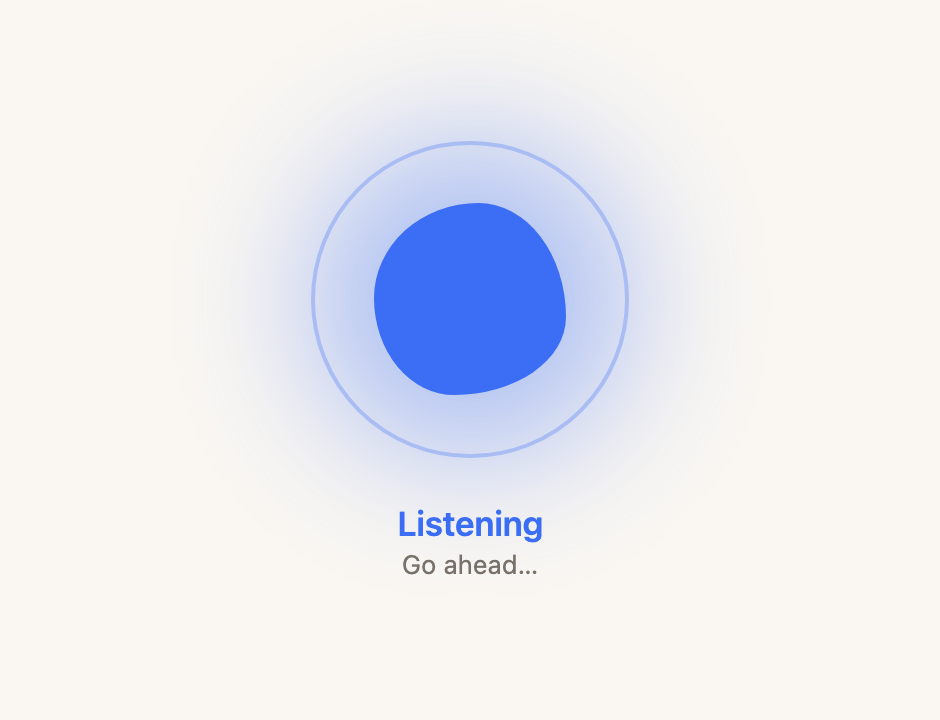
Open voice mode and just speak. Hyo listens, works, and talks back, so you can think out loud or keep moving while it handles the task. It says the short version aloud and puts the detail on screen for you to read.
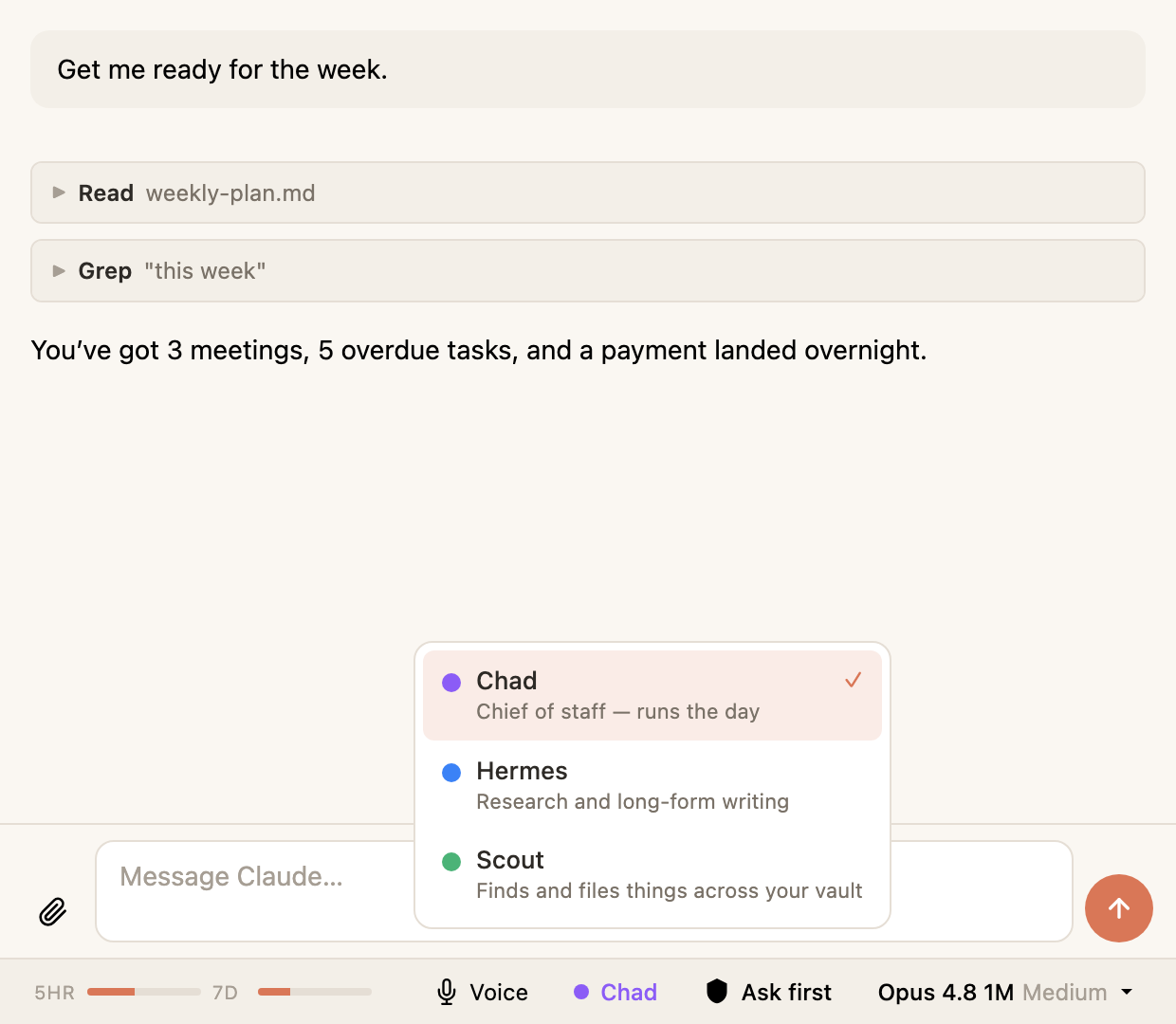
Hyo is not a single assistant. Set up different agents, each with its own role and context, and switch between them in a click from the status bar.
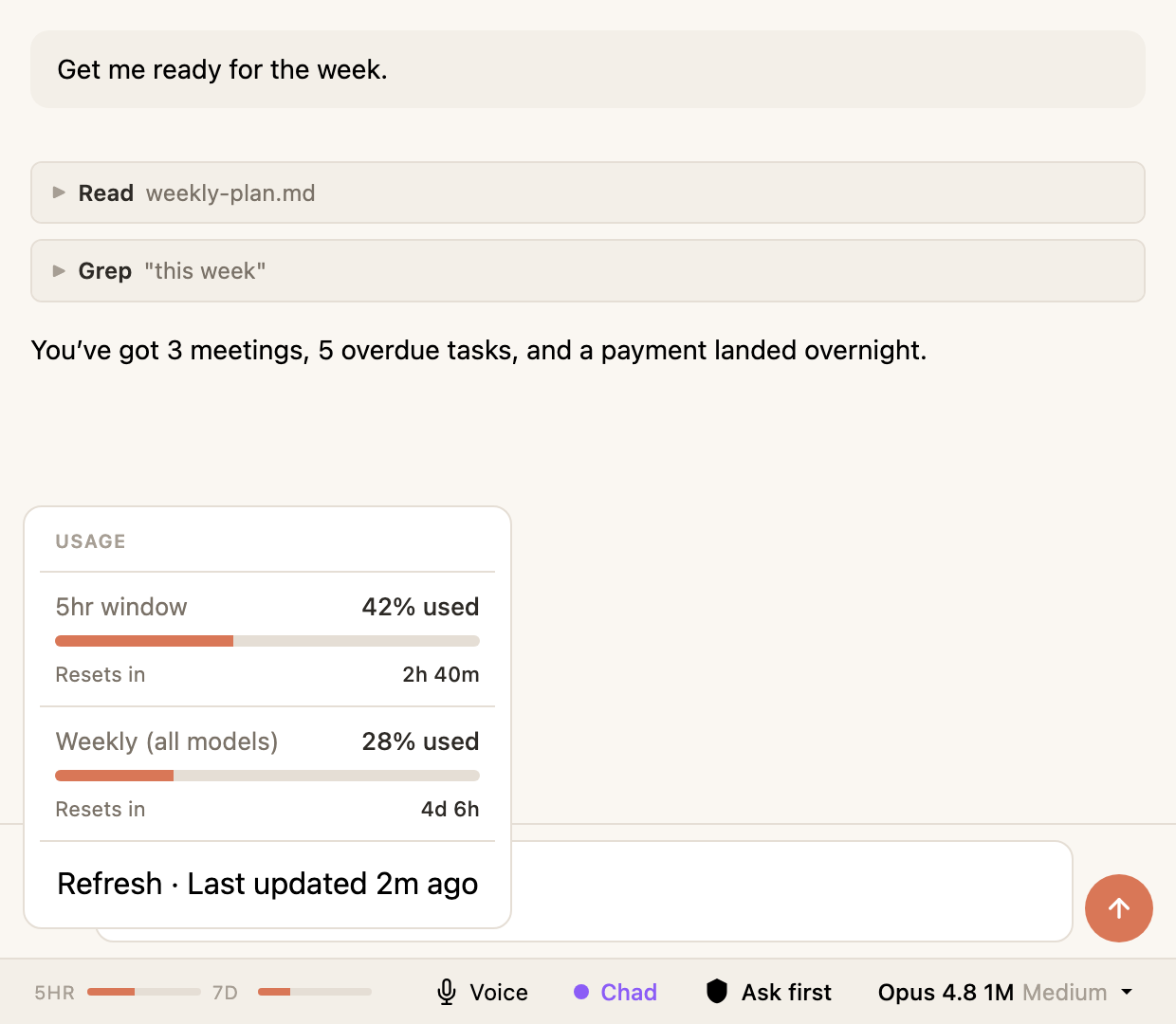
Hyo shows exactly how much of your Claude plan you have used, your 5-hour window and your week, right there in the status bar. No surprise limits in the middle of a task.
On the roadmap
Plug in ChatGPT, Hermes, or any agent you run, and talk to it straight from Hyo. One place to work with every agent, no matter where it lives.
Set your agent to run on its own schedule. Morning briefs and recurring work that land while you sleep, even with Obsidian closed.
Take your agent with you. Open Hyo on your phone and pick up the same conversations and the same vault from anywhere.
Catch a thought the moment it lands. Capture straight into your second brain by voice or text, and let your agent file it where it belongs.
Where Hyo sits
A chat window is fine for a quick question. But knowledge work is not just a conversation, it is the documents and thinking you move through every day. I wanted my agent right there in that work, not in a separate tab I keep copying things out of. So I built a place where your second brain and your agent finally sit together.
— Ev Chapman, creator of Hyo
Under the hood
Hyo runs on Anthropic's Claude Code, one of the most capable platforms there is for running real agents. You get all of that power, in a workspace built for the way you actually work.
Get started
Hyo installs inside Obsidian through BRAT, the community tool for beta plugins. You will need Obsidian and a Claude account. If Claude Code is not set up yet, Hyo walks you through it the first time you open it.
In Obsidian, open Settings, then Community Plugins, then Browse. Search for BRAT, install it and enable it.
Go to Settings, then BRAT, then Add Beta Plugin. Paste in the Hyo repo link below and click Add Plugin.
In Community Plugins, turn on Hyo Claude Code Agent. Then press Cmd+Shift+H, or Ctrl+Shift+H on Windows, to open it.
Hyo is free and open source. Install it in Obsidian and start working with your agent today.